

How Much Data Do Google Maps and Social Apps Use?
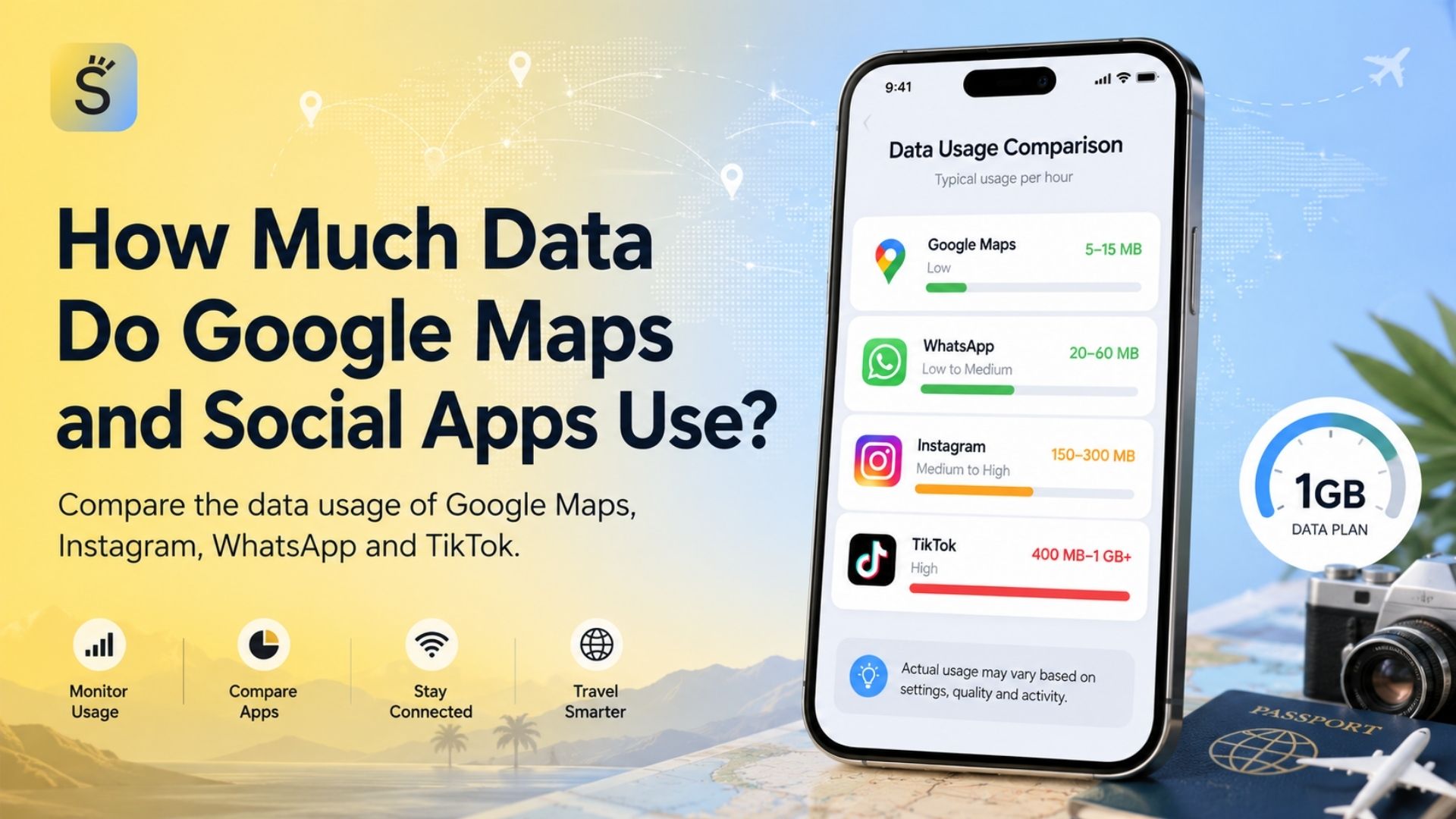
Google Maps generally uses only about 3–5 MB per hour during standard navigation, while continuous TikTok viewing can consume roughly 700–900 MB per hour at normal quality. Instagram may use anywhere from 100 MB to more than 1 GB per hour, depending on whether you browse photos or watch Reels. WhatsApp text messages use very little data, but an hour-long video call can consume approximately 200–500 MB.
These are practical estimates rather than guaranteed rates. Actual consumption changes with video quality, autoplay, network conditions, device settings, caching, media uploads and the type of content appearing in each feed.
Quick Data Usage Comparison
App or activity | Estimated mobile data use | How long approximately 1GB may last |
Google Maps standard navigation | 3–5 MB per hour | 200–330 hours |
Google Maps with live traffic | 7–10 MB per hour | 100–140 hours |
Instagram photo-heavy browsing | 100–200 MB per hour | 5–10 hours |
Instagram mixed feed, Stories and Reels | 300–600 MB per hour | 1.5–3.5 hours |
Instagram Reels-heavy use | 600 MB–1.2 GB per hour | 50–100 minutes |
WhatsApp voice calls | 20–60 MB per hour | 16–50 hours |
WhatsApp video calls | 200–500 MB per hour | 2–5 hours |
TikTok with Data Saver | 250–400 MB per hour | 2.5–4 hours |
TikTok at standard quality | 700–900 MB per hour | 65–85 minutes |
TikTok at high quality | Up to 1–1.5 GB per hour | 40–60 minutes |
The “1GB lasts” figures are calculated from the estimated hourly ranges above. They should be used for trip planning rather than as exact billing measurements.
What Is Mobile Data Usage and Why Does It Vary?
Mobile data usage is the amount of information a phone downloads from and uploads to the internet through a cellular connection. This includes visible activity, such as watching a video, as well as less obvious activity, such as preloading the next Reel, refreshing live traffic, synchronizing messages or uploading media in the background.
Data consumption is measured in kilobytes, megabytes and gigabytes:
Approximately 1,000 kilobytes make 1 megabyte.
Approximately 1,000 megabytes make 1 gigabyte for simplified mobile-plan calculations.
Video normally consumes considerably more data than text, static images or GPS location signals.
There is no single fixed consumption rate for Instagram, TikTok or WhatsApp video calls. Modern applications adjust media quality dynamically according to connection speed, screen resolution, device performance and the quality of the uploaded file.
A strong 5G connection does not inherently charge more data for the same file. However, a faster connection may allow an application to load higher-resolution media, preload more content or continue playing without pauses, indirectly increasing total consumption.
Official platform documentation generally explains data-saving controls rather than promising a fixed MB-per-hour rate. Instagram confirms that its reduced-data setting prevents videos from preloading over cellular connections, while WhatsApp provides controls for call data and media quality.
How Much Data Does Google Maps Use?
Google Maps is usually the least data-intensive application among the four covered in this guide.
Standard Turn-by-Turn Navigation
Standard map navigation commonly uses about 3–5 MB per hour. At that rate, 1GB could theoretically support approximately 200–330 hours of basic navigation.
GPS itself does not require a continuous mobile internet connection to determine the phone’s position. The mobile data is primarily used to download map tiles, search results, route updates, business information and traffic conditions.
Usage can stay particularly low when:
The route covers previously loaded areas.
The map remains at a stable zoom level.
Standard map view is used.
The user does not repeatedly search for new places.
Photos, reviews and Street View are not opened.
Navigation With Live Traffic
Live traffic and frequent rerouting can increase usage to around 7–10 MB per hour in typical conditions. The app must periodically retrieve updated road speeds, incidents and alternative routes.
Even at 10 MB per hour, Google Maps would use only about 100 MB during ten hours of navigation.
Satellite View, Street View and Detailed Imagery
Satellite view commonly uses more data because the phone downloads photographic imagery rather than lightweight vector map elements. Current estimates often place satellite or imagery-heavy use at approximately 15–30 MB per hour, although frequent zooming and loading unfamiliar areas can push consumption higher.
Street View, place photos and immersive visual features should not be treated like basic navigation. These features may load a large sequence of images and can therefore consume data much faster.
Using Google Maps Offline
Google allows users to download selected areas to a phone and navigate within them offline. Downloading the map over Wi-Fi before departure can reduce mobile data usage and preserve navigation access in locations with weak coverage.
Offline maps have limitations. Live traffic, cycling routes, walking details, transit information and newly updated business data may require an internet connection. The size of an offline map also depends on the geographical area and level of detail selected.
How Much Data Does Instagram Use?
Instagram data consumption varies more than Google Maps because the app combines photos, videos, Reels, Stories, livestreams, advertisements, direct messages and uploads in one continuously refreshed interface.
Browsing a Mostly Photo-Based Feed
Browsing a feed dominated by static photographs may consume approximately 100–200 MB per hour. The exact amount depends on image resolution, the number of posts loaded, advertisements and whether videos begin playing automatically.
At this rate, 1GB may provide roughly 5–10 hours of browsing.
Mixed Feed, Stories and Explore Usage
A realistic mixed session containing photos, Stories, short videos and Explore content may use approximately 300–600 MB per hour. Several current tests and industry estimates place intensive mixed Instagram use close to 500–600 MB per hour.
With this pattern, a 1GB plan may last only 1.5–3.5 hours.
Instagram Reels
Reels are usually the largest source of Instagram data consumption because they are video-based, autoplay automatically and may preload upcoming content before the viewer reaches it.
Continuous Reels viewing can consume approximately 600 MB to 1.2 GB per hour, depending on quality, connection speed and the videos delivered to the feed.
This means one hour of Reels may use as much data as hundreds of hours of standard Google Maps navigation.
Uploading Photos and Videos
Uploading media also counts toward mobile data usage. A high-quality photo may require several megabytes, while a long or high-resolution video may require tens or hundreds of megabytes.
Instagram supports an “Upload at highest quality” option. Enabling it may improve uploaded media quality but can also increase upload size and processing time over mobile networks.
Instagram Data Saver
Instagram’s reduced-data setting stops the application from preloading videos over a cellular connection. The trade-off is that videos may take longer to begin playing.
This setting is useful for limited travel eSIM plans because it reduces data spent on videos the user scrolls past without actually watching.
How Much Data Does WhatsApp Use?
WhatsApp usage depends on the type of communication. Text messages are lightweight, while video calls and media downloads consume significantly more.
Text Messages
A plain text message normally requires only a small amount of data. Even frequent text conversations generally use little compared with video-based social media.
Data use can increase when chats contain:
Photographs
GIFs and stickers
Voice messages
Documents
Short videos
Automatic media downloads
Frequent Status viewing
WhatsApp does not charge a separate fee for messages or calls, but the application uses the phone’s Wi-Fi or mobile data connection. The company also allows users to view WhatsApp-specific network usage under the Storage and Data settings.
Sending and Receiving Photos
A WhatsApp image may use roughly 0.1–1.5 MB, depending on its dimensions, compression and whether standard or HD quality is used.
Downloading 50 compressed images could therefore use much less data than downloading 50 HD photographs.
Voice Calls
A WhatsApp voice call commonly uses approximately 0.3–1 MB per minute, equal to around 20–60 MB per hour. Differences arise from call quality, network stability, codec behaviour and whether the “Use Less Data for Calls” option is enabled.
A 30-minute voice call may therefore use roughly 10–30 MB.
Video Calls
A WhatsApp video call may use approximately 3–8 MB per minute, or around 200–500 MB per hour. Strong connections, group calls, larger screens and higher video quality can push usage toward the upper end of the range.
Video calls should therefore be moved to Wi-Fi when possible if the traveler has a small data allowance.
Reducing WhatsApp Data Usage
WhatsApp allows users to:
Enable “Use Less Data for Calls.”
Control automatic media downloads.
Select standard rather than HD media upload quality.
Review network usage in Storage and Data settings.
Save video calls for Wi-Fi connections.
WhatsApp specifically recommends using Wi-Fi for calls when saving mobile data is important.
How Much Data Does TikTok Use?
TikTok is commonly the largest continuous data consumer in this comparison because its main interface is an endless stream of autoplaying video.
Standard TikTok Use
Continuous TikTok scrolling at standard settings commonly consumes approximately 700–900 MB per hour. One current estimate places default usage near 840 MB per hour.
At 840 MB per hour, 1GB would last for approximately 70 minutes.
Consumption can change according to:
Average video length
Video resolution
Advertising frequency
Connection quality
Preloading behaviour
Rewatching and looping
Livestream viewing
Uploading videos
Whether Data Saver is enabled
TikTok Data Saver
Estimates place TikTok Data Saver use at approximately 250–400 MB per hour, compared with roughly 700–900 MB under normal settings. Video quality may be reduced, and videos may load more slowly.
At 360 MB per hour, 1GB may support approximately 2.5–3 hours of continuous viewing.
TikTok at High Quality
High-quality or HD-heavy viewing may approach 1–1.5 GB per hour. Under those conditions, a 5GB plan could be consumed in approximately three to five hours of continuous watching.
TikTok Lite
TikTok states that TikTok Lite is designed to consume less cellular data and device storage. It is available only on supported Android devices and in selected regions.
A Lite application can be useful for a limited plan, although features and the user experience may differ from the full version.
Why Estimating Application Data Use Matters
It Helps Travelers Choose a Suitable Plan
A traveler who mainly uses Google Maps and WhatsApp text messages may need much less data than someone who watches TikTok and Reels every day.
Choosing from available international eSIM plans based on actual behaviour can reduce both unnecessary spending and the risk of running out of data.
It Prevents Video Apps From Consuming the Entire Allowance
At approximately 840 MB per hour, one hour of TikTok may use more data than over 150 hours of standard Google Maps navigation. This is a calculated comparison based on the typical usage estimates above.
Understanding that difference helps travelers identify which activities need Wi-Fi or Data Saver mode.
It Supports More Reliable Trip Planning
Navigation, hotel reservations, airline applications and messaging may be essential during travel. Using most of a plan on entertainment can leave insufficient data for these essential services later in the trip.
It Makes Data-Saving Settings More Effective
Data Saver features are more useful when applied to the highest-consumption activities. Restricting a lightweight text application may achieve little, while limiting video preloading can have a meaningful effect.
Common Travel Data Usage Profiles
Essential Connectivity Profile
This traveler mainly uses:
Google Maps
WhatsApp text messages
Email
Airline applications
Occasional web searches
Estimated daily usage may remain below 50–100 MB when media downloads, video calls and social video are limited. A 1GB plan can be sufficient for a short trip, although additional capacity provides a buffer for updates, uploads and unexpected use.
Balanced Social Traveler
A typical day may include:
One hour of navigation
20–30 minutes of Instagram
10–15 minutes of TikTok
Several WhatsApp messages
One short WhatsApp voice call
Based on the estimated rates in this guide, this pattern may use approximately 300–500 MB per day, or roughly 2–3.5 GB during a seven-day trip.
A 5GB plan provides a more practical buffer for this profile.
Social Media-Heavy Traveler
A video-heavy daily routine may include:
45 minutes of Instagram Reels
45 minutes of TikTok
20 minutes of WhatsApp video calls
Google Maps and general browsing
This profile may consume approximately 1–2 GB per day, depending on video quality. A seven-day trip may therefore require 10GB or more.
Remote Worker
A remote worker may use little TikTok but rely on:
Video meetings
Cloud documents
Large email attachments
Hotspot sharing
WhatsApp calls
File uploads
The four applications in this guide do not represent the worker’s full consumption. Laptop updates, cloud synchronization and video-conferencing platforms must also be included in the plan estimate.
When Fixed Usage Estimates Are Not Recommended
A fixed “X GB per day” rule is not reliable for:
Content creators uploading high-resolution video
Travelers using a phone as a laptop hotspot
Long WhatsApp group video calls
Daily livestream viewers
Automatic cloud photo backup
Families sharing one hotspot connection
These activities can vary by several gigabytes per day.
Practical Data Plan Selection Checklist
Before choosing a travel plan, review the following criteria.
Trip Duration
Multiply estimated daily use by the number of travel days, then add a buffer. A 20–30% allowance can help cover background activity, app updates and days with heavier use.
Daily Social Media Time
Record how many minutes you spend on Instagram and TikTok. Screen-time statistics are often more useful than guessing.
Type of Instagram Use
Thirty minutes of viewing photographs is not equivalent to 30 minutes of Reels or Live video.
WhatsApp Communication Style
Consider whether you mainly send text messages or make long video calls.
Offline Navigation
Download Google Maps areas over Wi-Fi before leaving. This reduces data use and provides navigation resilience when mobile coverage is weak.
Hotspot Requirements
Confirm whether the eSIM plan permits tethering. A connected laptop can consume data through software updates, cloud syncing and video playback without the phone user noticing immediately.
Unlimited Plan Restrictions
“Unlimited” does not always mean unlimited full-speed data. Review fair-use limits, speed reductions and hotspot conditions before purchasing.
Device and eSIM Settings
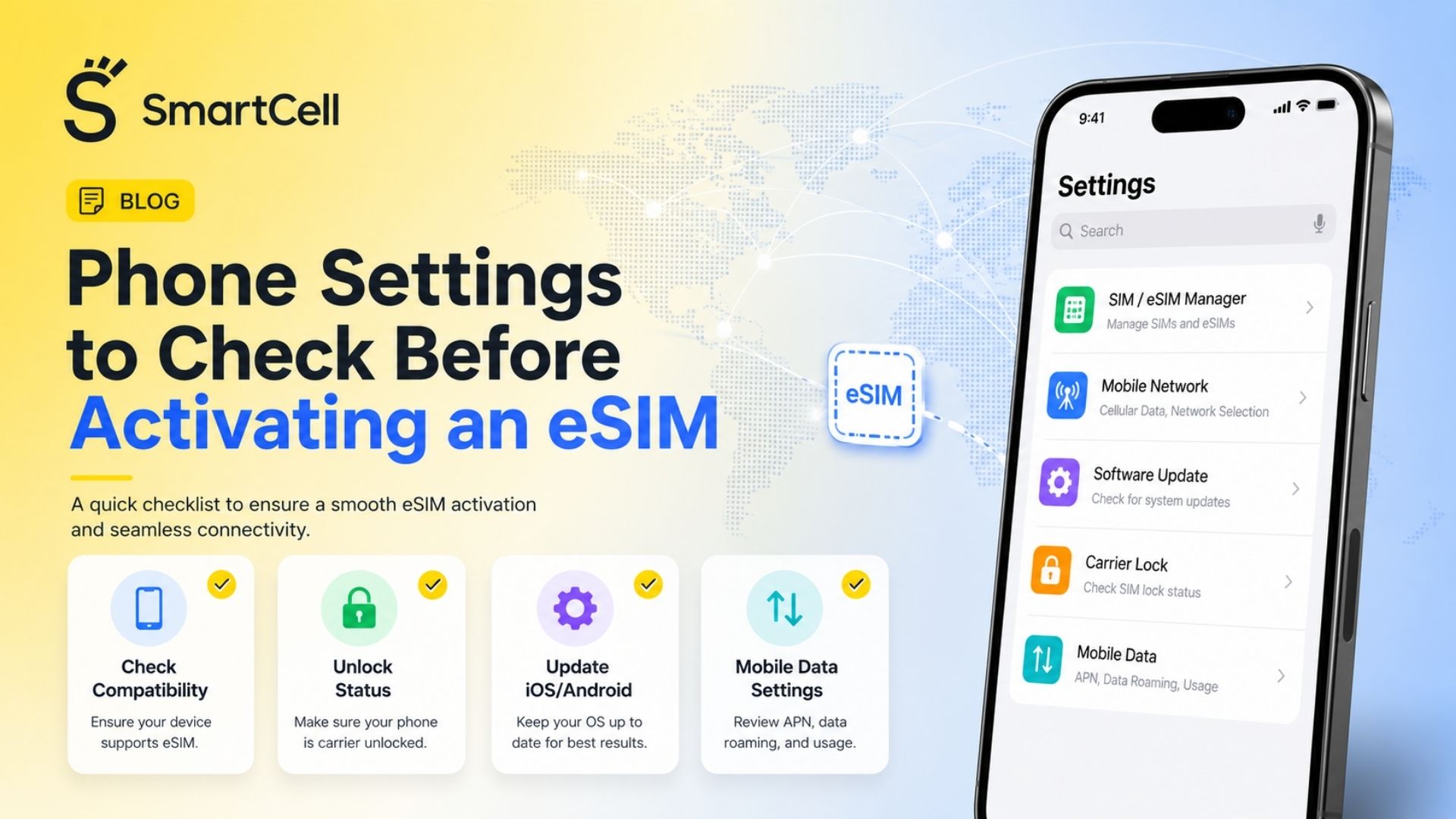
Check compatibility, carrier lock, roaming controls and the selected mobile-data line. The guide to phone settings before activating an eSIM covers the most important checks.
App Data Usage Comparison
App or option | Main content type | Typical hourly use | Highest-consumption activity | Data-saving method | Best travel use case |
Google Maps | Maps, routes and location information | 3–10 MB | Satellite imagery and visual exploration | Download offline maps | Navigation and finding destinations |
Photos, Stories, Reels and Live video | 100 MB–1.2 GB | Reels, Live video and uploads | Disable video preloading and highest-quality uploads | Sharing and discovering travel content | |
Text, media and internet calls | Under 1 MB to 500 MB | Video calls and large media downloads | Use Less Data for Calls and control media downloads | Communication with family and travel groups | |
TikTok | Continuous short-form video | 250 MB–1.5 GB | HD video and livestreams | Data Saver or TikTok Lite | Entertainment when sufficient data is available |
Offline Google Maps | Downloaded local map files | Minimal during basic offline navigation | Initial map download | Download over Wi-Fi | Limited-data or low-coverage destinations |
Public Wi-Fi | Varies by connected application | Not deducted from mobile allowance | Unrestricted video and cloud backup | Use trusted networks and secure account practices | Large downloads and software updates |
How to Reduce Mobile Data Usage While Traveling
Download Maps Before Departure
Download the hotel area, airport, city centre and planned day-trip locations over Wi-Fi. Keep enough phone storage available for the selected regions.
Enable Instagram’s Reduced-Data Setting
Preventing video preloading reduces the amount spent on content you never actually watch.
Use TikTok Data Saver
Data Saver can substantially extend the time available from 1GB, although exact savings vary by feed and network conditions.
Restrict Automatic WhatsApp Downloads
Set videos and large files to download only over Wi-Fi. Important photos can still be downloaded manually when needed.
Disable High-Quality Mobile Uploads
Post high-resolution Reels, TikToks and travel videos from hotel Wi-Fi instead of uploading them through the travel plan.
Pause Cloud Backups
Automatic iCloud, Google Photos and other cloud backups can upload every new travel photo and video in the background.
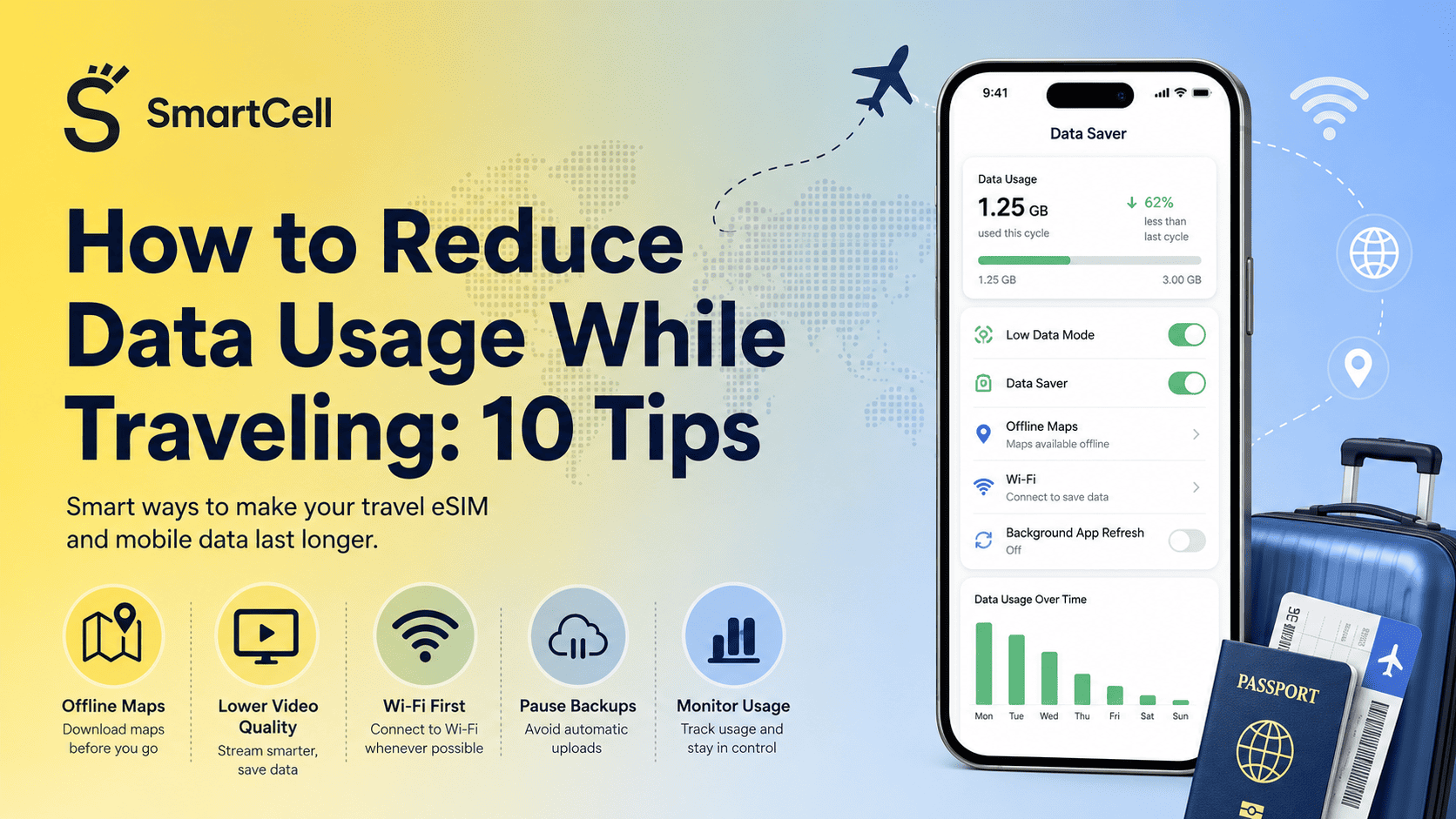
Turn On System-Level Data Saver
Apple’s Low Data Mode reduces background network activity for the selected mobile line. On supported Android devices, Data Saver limits most applications and services to background data over Wi-Fi.
Disable Wi-Fi Assist When Necessary
An iPhone may use cellular data when the Wi-Fi connection is poor if Wi-Fi Assist is enabled. Apple states that the feature is on by default and can be disabled in the cellular settings.
How to Monitor Actual App Data Consumption
Estimated tables are useful for selecting a plan, but the phone’s own records show how the user’s personal behaviour affects consumption.
On iPhone
Open:
Settings → Cellular or Mobile Data
The list displays mobile data used by individual applications during the current statistics period. Apple also allows users to reset the statistics before a trip. Apple notes that the mobile operator remains the most accurate source for billing-period measurements.
A practical approach is to reset the statistics immediately before activating the travel eSIM. After one full travel day, review Google Maps, Instagram, WhatsApp and TikTok individually.
On Android or Google Pixel
On supported Pixel devices, open:
Settings → Network & Internet → SIMs → App Data Usage
The screen provides a graph, date controls and consumption by application. Google notes that menus may differ on customized Android versions and that operator measurements can differ from phone estimates.
Samsung and other Android manufacturers may place the controls under Connections, Mobile Networks, SIM Manager or Data Usage.
Check the eSIM Balance
Phone statistics may include delayed reporting or traffic assigned differently from the provider’s billing system. The eSIM provider’s balance page or application should therefore be treated as the final source for remaining plan data.
Common Data-Planning Mistakes
Assuming All Social Media Use Is Similar
Instagram photographs, Instagram Reels and TikTok videos have very different consumption rates. “One hour of social media” is not a precise planning unit.
Forgetting About Uploads
Posting a video uses data as well as watching one. Content creators should include both downloads and uploads in their estimates.
Leaving Video Autoplay and Preloading Enabled
Applications may download upcoming videos before the user decides whether to watch them.
Downloading Offline Maps Through the Travel Plan
Offline maps save data only when the initial download is completed over Wi-Fi. Downloading a large region after arrival may immediately consume part of the eSIM allowance.
Allowing Cloud Photo Backup
High-resolution travel videos can use gigabytes during background backup.
Confusing Storage With Mobile Data
Deleting application cache may free phone storage, but it does not restore data already consumed from an eSIM plan.
Monitoring Only Screen Time
An application can consume background data even when it is not visibly open. Screen time and data usage should be reviewed separately.
Selecting the Wrong SIM for Data
On a Dual SIM phone, applications may use the home SIM if it remains selected as the mobile-data line. This can create conventional roaming charges despite having an active travel eSIM.
Travelers can avoid this and other setup problems by reviewing the common first-time eSIM mistakes before departure.
Is a Larger Travel Data Plan Worth It?
A larger plan is worth considering when the cost difference is reasonable and the traveler regularly watches short-form video, makes video calls, shares a hotspot or uploads travel content.
For an essential-connectivity traveler, paying for 20GB may offer little practical value. Google Maps, text messaging and occasional browsing can operate within a comparatively small allowance.
For a TikTok- or Reels-heavy traveler, choosing only 1GB is likely to create unnecessary restrictions. At normal TikTok consumption, 1GB may last little more than one hour.
The most balanced approach is to:
Estimate daily use.
Multiply it by the trip duration.
Add a reasonable buffer.
Check whether top-ups are available.
Move software updates, backups and long videos to Wi-Fi.
A slightly larger prepaid data allowance may provide useful flexibility, but it does not replace correct phone configuration. Travelers should also review the steps for avoiding unexpected roaming charges with an eSIM.
Frequently Asked Questions
How much data does Google Maps use in one hour?
Standard navigation commonly uses approximately 3–5 MB per hour. Live traffic may raise this to around 7–10 MB, while satellite imagery uses more.
How long will 1GB last on Google Maps?
At 3–5 MB per hour, 1GB could theoretically support approximately 200–330 hours of standard navigation. Searches, photos, satellite view and frequent rerouting reduce that duration.
How much data does Instagram use per hour?
Photo-heavy use may consume about 100–200 MB per hour. Mixed use may reach 300–600 MB, while continuous Reels can approach or exceed 1GB per hour.
How long will 1GB last on Instagram?
Depending on activity, approximately one to ten hours. It lasts longer with photographs and much less with Reels, Live video and high-quality uploads.
How much data does TikTok use per hour?
Normal continuous viewing commonly uses around 700–900 MB per hour. Data Saver may reduce it to approximately 250–400 MB, while high-quality viewing can approach 1–1.5 GB.
Is TikTok or Instagram more data-intensive?
TikTok is often more consistently data-intensive because nearly every swipe loads another video. Instagram consumption is more variable because the app also contains static photographs, text and messaging. Reels-heavy Instagram use can nevertheless approach TikTok levels.
Does WhatsApp text messaging use a lot of data?
No. Plain text messages normally use very little data. Photographs, video files, Status content and calls account for most WhatsApp consumption.
How much data does a one-hour WhatsApp call use?
A voice call may use around 20–60 MB per hour. A video call may consume approximately 200–500 MB, depending on call quality and connection conditions.
Does downloading Google Maps make navigation completely data-free?
Downloaded maps can support offline navigation in the covered area, but live traffic, public transport information, walking routes and updated business details may still need an internet connection.
Is 1GB enough for a seven-day trip?
It may be enough for maps, messaging, email and light browsing. It is unlikely to be enough for daily TikTok, Instagram Reels or long video calls.
Is 5GB enough for one week abroad?
For many balanced users, 5GB can cover navigation, messaging, moderate social media and occasional calls. Video-heavy use can consume it much faster.
How can I find out which application is using my data?
Check Cellular or Mobile Data settings on iPhone, or App Data Usage on supported Android devices. Reset or align the usage period with the start of the trip for a clearer measurement.
Final Takeaway
Google Maps is relatively data-efficient, while TikTok and Instagram Reels are the largest risks to a limited travel plan. WhatsApp text and voice communication are economical, but video calls and automatic media downloads can significantly increase consumption.
For most travelers, the best strategy is to download maps over Wi-Fi, enable data-saving settings, restrict media uploads and backups, monitor app-level usage, and select a plan based on actual daily video habits rather than trip length alone.